Quick reference for the PSoC6™
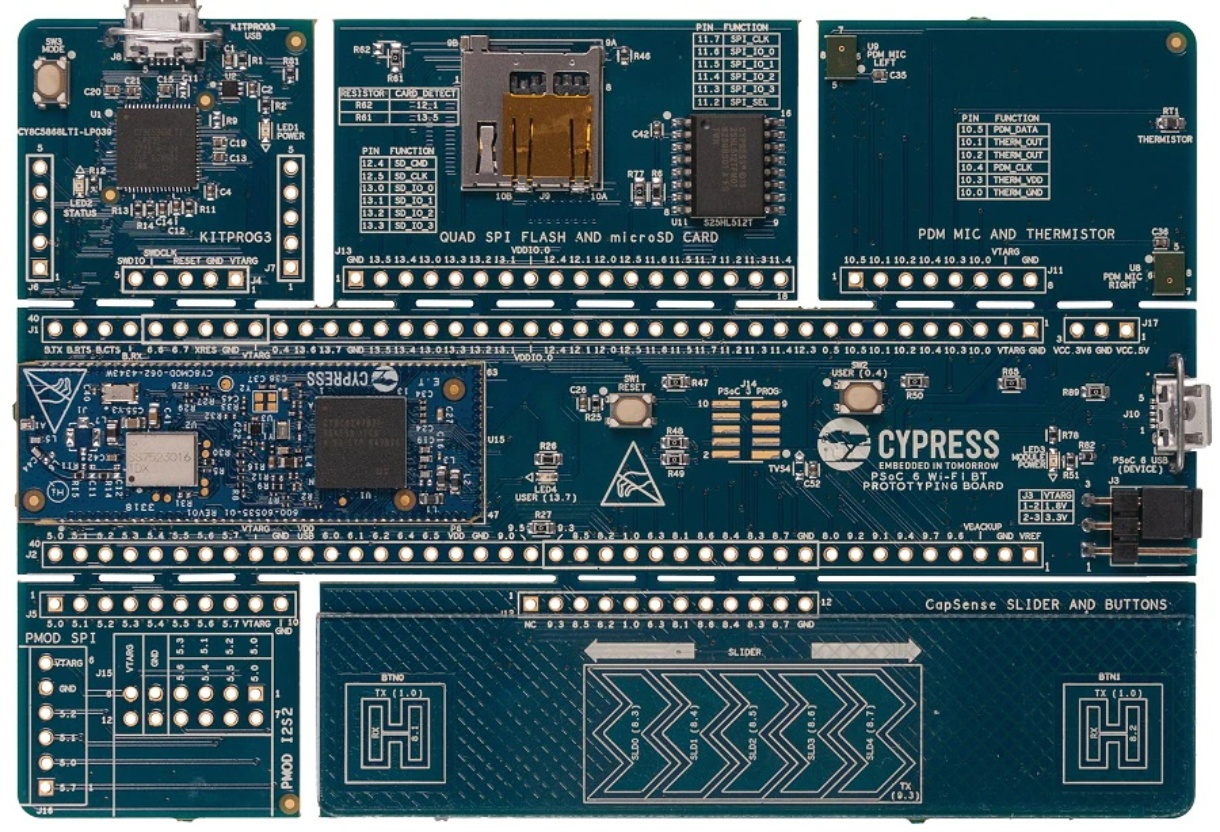
The CY8CPROTO-062-4343W PSoC6™ Board.
Below is a quick reference for PSoC6™ boards. If it is your first time working with this port it may be useful to get an overview of the microcontroller:
General board control
The MicroPython REPL is accessed via the USB serial port. Paste mode (ctrl-E) is useful to paste a large slab of Python code into the REPL.
This port implements most of the methods described in the machine module. Tab-completion is useful to
find out what methods an instantiated object has.
The machine module:
import machine

machine.freq()          # get the current frequency of the CPU
Delay and timing
Feature unavailable. Placeholder. To be completed.
Timers
Feature unavailable. Placeholder. To be completed.
Pins and GPIO
Most of the methods (functions) and constants given in the machine.Pin class have been implemented in this port. Any functions in addition to those or function calls with ambiguous list of parameters have been documented here with suitable examples.
The constructor
The constructor can be called in different flavors and configurations based on the number of arguments (parameters) passed.
An instance of the machine.Pin class can be created by invoking the constructor with all the necessary parameters to fully configure the Pin.
from machine import Pin

p0 = Pin('P13_7', Pin.OUT, Pin.PULL_DOWN, value=STATE_LOW)   # create output pin on pin P13_7,
                                                             # with pull-down resistor enabled,
                                                             # with initial value 0 (STATE_LOW)
Additionally, with any combination of parameters (except the Pin number or id which should be passed mandatorily), a machine.Pin object with various configuration levels can be instantiated. In these cases, the Pin.init() function has to be called proactively to set the other necessary configurations, as needed.
Moreover, a pre-configured pin object can be repurposed by calling the Pin.init() function.
from machine import Pin

p0 = Pin('P13_7')                    # create pin object for pin P13_7.
p0.init(p0.OUT, p0.PULL_DOWN)        # set pin as output and enable pull-down resistor.
p0.low()                             # set value low.
Similar to CPython, the parameters can be passed in any order if keywords are used. On the other hand, in case of a non-keyword assignment if a parameter is not to be set, a None is to be passed in its place.
from machine import Pin

p0 = Pin(id='P13_7', value=STATE_LOW, pull=Pin.PULL_DOWN, mode=Pin.OUT)     # create output pin on pin P13_7,
                                                                            # with pull-down resistor enabled,
                                                                            # with initial value 0 (STATE_LOW)


p1 = Pin('P0_0', Pin.OUT, None, value=STATE_HIGH)                           # create output pin on pin P0_0,
                                                                            # with pull as NONE,
                                                                            # with initial value 1 (STATE_HIGH)
Note that the parameters such as value can only be passed as keyword arguments.
Methods
- Pin.toggle()
Set pin value to its complement.
Constants
The following constants are used to configure the pin objects in addition to the ones mentioned in the machine.Pin class.